Published: May 29, 2026 | Reading time: 6 minutes
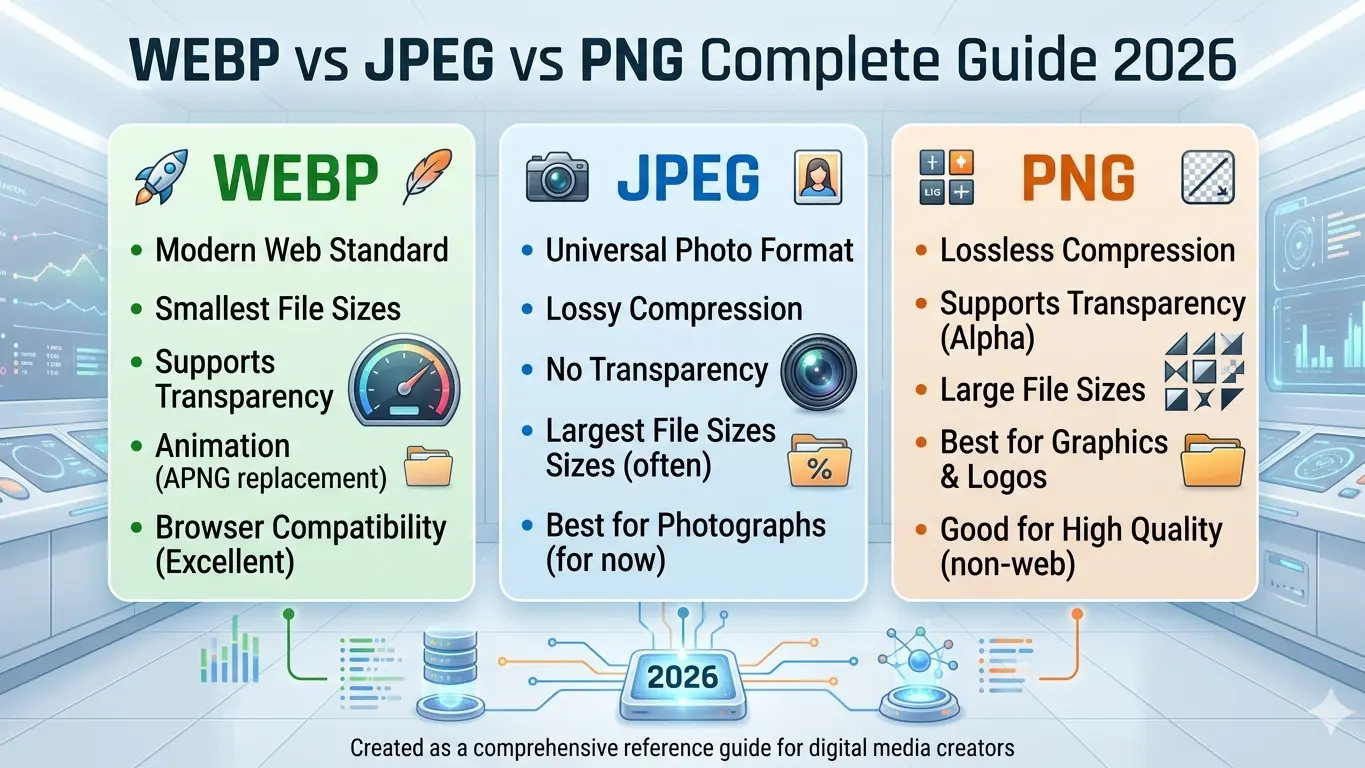
Choosing the right image format can make or break your website's performance. With Google's Core Web Vitals now affecting search rankings, image optimization is no longer optional — it's essential. In this guide, we compare the three most popular image formats: WEBP, JPEG, and PNG, so you can make the best choice for your projects.
What is JPEG Format?
JPEG (Joint Photographic Experts Group) is the world's most widely used image format, introduced in 1992. It uses lossy compression specifically optimized for photographs and complex images with smooth color transitions.
JPEG Pros:
- ✅ Small file sizes — Ideal for web photos and galleries
- ✅ Universal compatibility — Supported by every browser, device, and software
- ✅ Adjustable quality — Balance compression from 1% to 100%
- ✅ EXIF metadata — Stores camera settings, GPS, timestamps
JPEG Cons:
- ❌ No transparency — Cannot have transparent backgrounds
- ❌ Lossy compression — Quality degrades with each save
- ❌ Block artifacts — Visible at high compression levels
- ❌ 8-bit color only — Limited to 256 levels per channel
Best for: Photographs, social media images, web galleries, email attachments
What is PNG Format?
PNG (Portable Network Graphics) was created in 1996 as a patent-free alternative to GIF. It uses lossless DEFLATE compression, ensuring zero quality loss no matter how many times you save.
PNG Pros:
- ✅ Lossless quality — Perfect preservation of every pixel
- ✅ Full transparency — 256 levels of alpha channel transparency
- ✅ Sharp text & edges — No compression artifacts on graphics
- ✅ Wide color depth — Supports 8-bit, 24-bit, and 48-bit color
PNG Cons:
- ❌ Large file sizes — 5-10x larger than JPEG for photos
- ❌ No animation — Static images only (use APNG or GIF instead)
- ❌ Not for print CMYK — RGB only, requires conversion for professional printing
- ❌ Slower web loading — Large files hurt page speed scores
Best for: Logos, icons, screenshots, UI elements, images requiring transparency
What is WEBP Format?
WEBP is Google's modern image format introduced in 2010, now supported by all major browsers. It delivers superior compression using both lossy and lossless techniques derived from VP8 video codec technology.
WEBP Pros:
- ✅ 25-35% smaller than JPEG — At identical visual quality
- ✅ 26% smaller than PNG — Lossless WEBP beats PNG compression
- ✅ Transparency support — 8-bit alpha channel like PNG
- ✅ Animation support — Replaces GIF with smaller file sizes
- ✅ SEO benefits — Faster loading improves Google rankings
WEBP Cons:
- ❌ Older browser issues — IE and very old Safari versions lack support
- ❌ Editing limitations — Not all software supports WEBP natively
- ❌ Social media — Some platforms still prefer JPEG/PNG uploads
Best for: Modern websites, app development, Core Web Vitals optimization, animated images
Detailed Comparison Table
| Feature | JPEG | PNG | WEBP |
|---|---|---|---|
| Compression | Lossy | Lossless | Lossy + Lossless |
| File Size (Photo) | 100KB | 500KB | 65KB |
| Transparency | ❌ No | ✅ Yes (256 levels) | ✅ Yes (256 levels) |
| Animation | ❌ No | ❌ No | ✅ Yes |
| Browser Support | ✅ Universal | ✅ Universal | ✅ 95%+ Modern |
| SEO Impact | ⚠️ Medium | ⚠️ Slow loading | ✅ Fastest |
| Best For | Photographs | Graphics, Logos | Web optimization |
When to Use Which Format?
Use JPEG When:
- You need universal compatibility (all devices, all software)
- Working with photographs and complex images
- File size matters but transparency is not needed
- Sharing on social media platforms that don't support WEBP
Use PNG When:
- You need transparent backgrounds (logos, overlays, UI elements)
- Working with text, screenshots, or sharp graphics
- Quality preservation is critical (editing workflows)
- Creating print-ready assets from RGB sources
Use WEBP When:
- Website speed and Core Web Vitals are priorities
- You want smaller files with better quality than JPEG
- Need both transparency and small size (replaces PNG)
- Building modern web apps and progressive web apps
- Creating animated images smaller than GIF
How to Convert Between Formats
Converting between these formats is simple with the right tools. At Paksindh, we offer free, browser-based converters that process your images locally — your files never leave your device.
Popular Conversions:
- 📷 JPG to WEBP — Reduce photo sizes by 25-35%
- 🎨 PNG to WEBP — Shrink graphics with transparency intact
- 🖼️ JPG to PNG — Add transparency to photographs
- ⚡ PNG to JPG — Reduce file size for web use
All our converters are 100% free, require no registration, and work directly in your browser with complete privacy protection.
SEO Impact of Image Formats
Google's Core Web Vitals directly measure page loading speed, and images are typically the largest files on any webpage. Here's how each format affects your SEO:
| Metric | JPEG | PNG | WEBP |
|---|---|---|---|
| LCP (Largest Contentful Paint) | ⚠️ Medium | ❌ Slow | ✅ Fast |
| Page Size | Medium | Large | Small |
| Mobile Performance | Acceptable | Poor | Excellent |
| Google Ranking Boost | Neutral | Negative | Positive |
Bottom line: Switching to WEBP can improve your Google PageSpeed score by 10-20 points, directly impacting search rankings.
Browser Support in 2026
As of 2026, WEBP is supported by:
- ✅ Chrome — Full support since 2014
- ✅ Firefox — Full support since 2019
- ✅ Safari — Full support since 2020 (macOS 11+, iOS 14+)
- ✅ Edge — Full support since 2018
- ✅ Opera — Full support
- ❌ Internet Explorer — No support (use JPEG/PNG fallback)
For older browsers, implement the HTML <picture> element with fallback formats:
<picture>
  <source srcset=<"image.webp" type=<"image/webp">
  <source srcset=<"image.jpg" type=<"image/jpeg">
  <img src=<"image.jpg" alt=<"Description">
</picture>
Real-World File Size Comparison
Here's how a typical 1920x1080 photograph compares across formats at similar visual quality:
| Format | File Size | Quality | Use Case |
|---|---|---|---|
| PNG (Lossless) | 2.5 MB | Perfect | Editing master |
| JPEG (85%) | 450 KB | Very Good | Web photos |
| WEBP (85%) | 280 KB | Very Good | Modern websites |
| WEBP (Lossless) | 1.8 MB | Perfect | Archive + web |
Conclusion: Which Format Should You Choose?
| Your Need | Best Format | Why |
|---|---|---|
| Photographs for web | WEBP | Smallest size, best quality |
| Photographs for sharing | JPEG | Universal compatibility |
| Logos & icons | PNG or WEBP | Transparency support |
| Website speed priority | WEBP | Best Core Web Vitals score |
| Professional editing | PNG or TIFF | Lossless quality preservation |
| Animated images | WEBP | 60-70% smaller than GIF |
The future is WEBP. With universal modern browser support, superior compression, and direct SEO benefits, WEBP should be your default choice for web images. Keep JPEG and PNG as fallbacks for older systems and specific use cases.
Start Converting Today
Ready to optimize your images? Try our free converters:
- 🚀 Convert to WEBP — For fastest websites
- 🖼️ Convert to JPEG — For universal compatibility
- 🎨 Convert to PNG — For transparency and editing
All tools are free, private (browser-based processing), and require no signup. Convert your first image in seconds!
Have questions? Contact us or explore all our free image converters.